

Misaligned outline and shadow for RTL text with fonts that depend on OpenType features
 Niskala5570
Posts: 3Member
Niskala5570
Posts: 3Member
Lunacy version: 11.6 latest stable version at the time of writing.
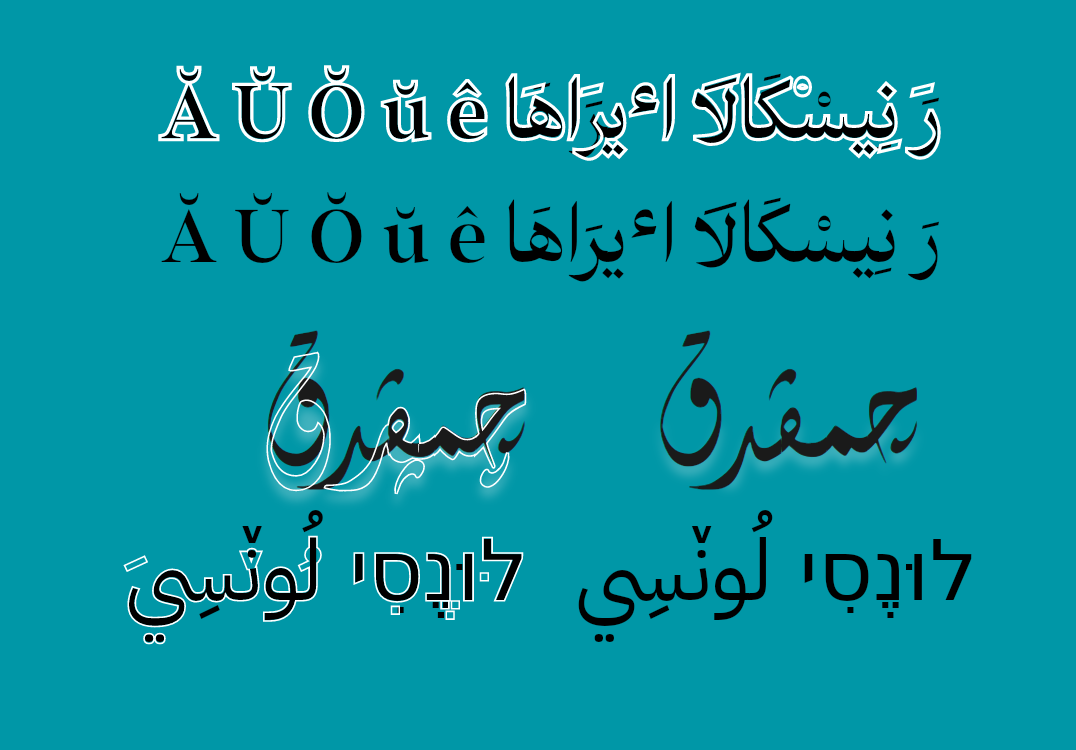
It seems the glyph outline and shadow are rendered without applying OpenType features.
I mostly tested on Arabic as I'm more familiar with it, some features like fina, init, medi, rlig/liga are respected. Other features are ignored and rendered in default positions.
Here's is what Lunacy currently rendered, the primary text in black displayed the font correctly while the in white outline, only RTL text misaligned, the Latin text (e.g. A + ̆) displayed correctly.
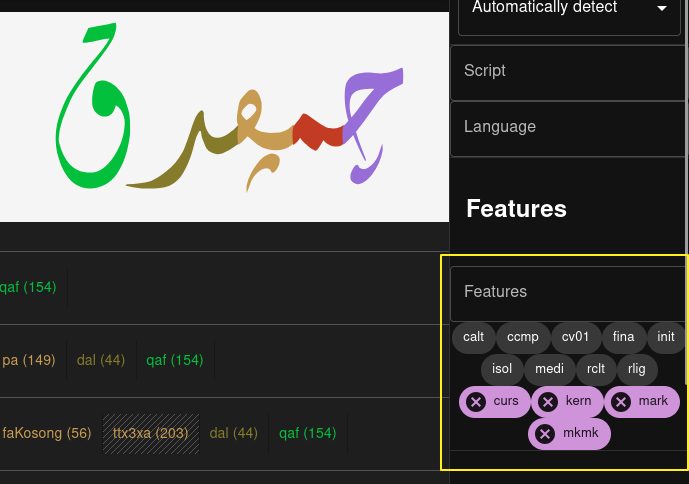
Here's the same text with partially Opentype features displayed in font testing website that use Harfbuzz (Crowbar)
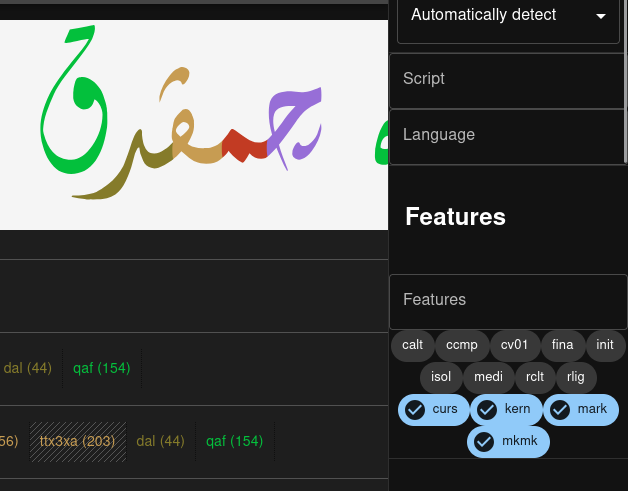
And with the features turned on:
Font used:
IBM Plex Arabic (Google Fonts)
Test text:
Ă Ŭ ŏ ŭ ê رَ نِيسْکَالاَ اٴيرَاهَا
چمڤدق
לוּנֶסִי لُونٚسِي
Comments
Hi
Thank you for report. I created a bug report and we'll try to fix this as soon as possible. When the bug is fixed, I'll post here.
Thank you so much!😁
@Niskala5570
The bug has been fixed. You can test RTL text functionality in beta 12.0. It’s recommended to make backups of important files before opening them in the beta, since this version is still unstable.
The only thing that hasn’t been fixed is the incorrect border rendering, where a line appears in the middle of elements. We’re aware of this bug and we know how to fix it, but fixing it would reduce the overall performance of the application.
Thank you so much! I've tested it and it worked!
Switching to outside rendering solve the problem tho, for the time being this should be sufficient enough for use until you guys found workaround for the performance issue.
Again, thank you so much, even in 2025 not many creative software have RTL support.
Thank you for feedback! If you have any other problems or questions, please let us know and we'll try to help.